 Watt2Ride
How to check a charging point is worth the detour
September 29, 2026
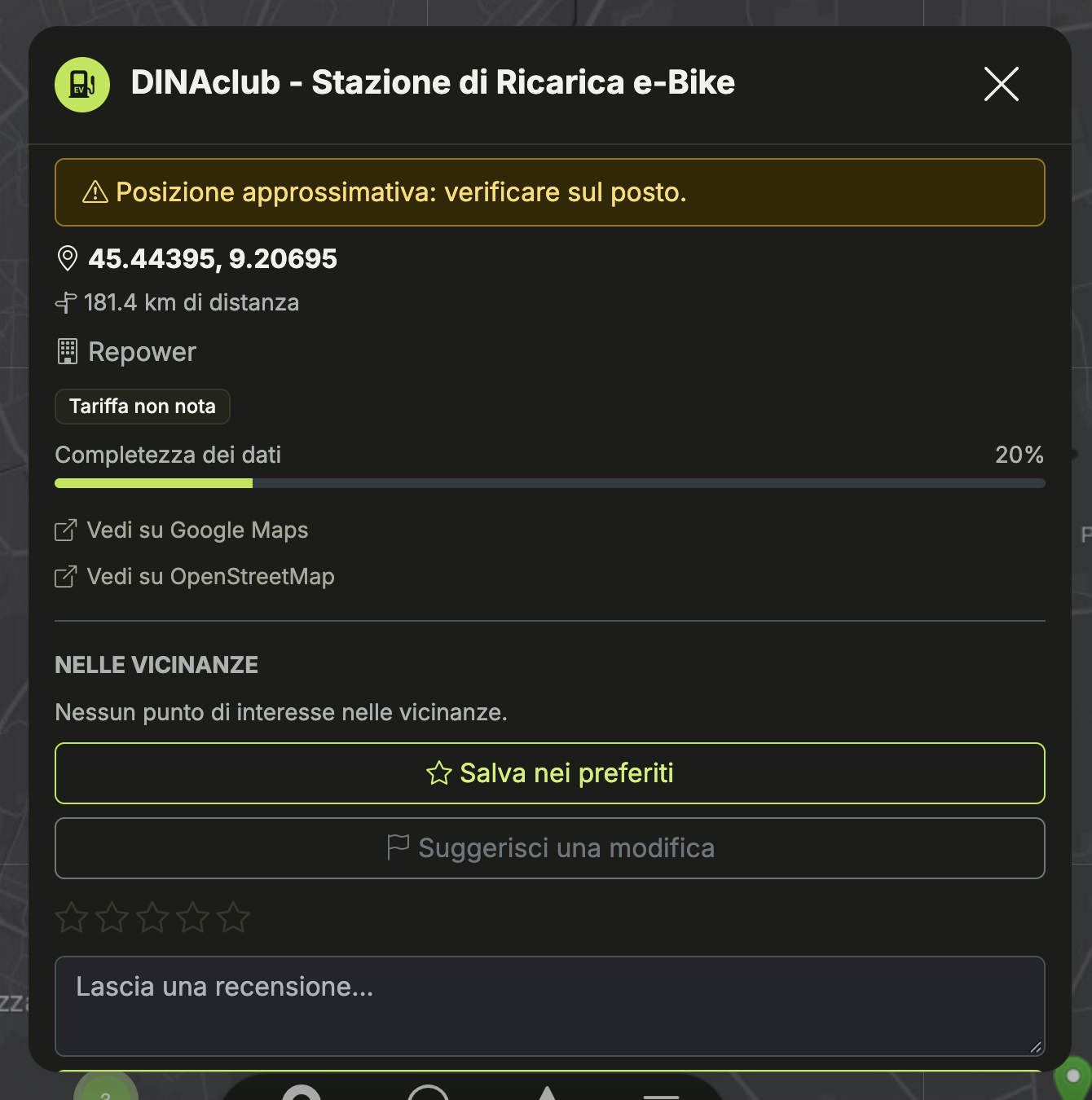
Riding 2 km off your route only to find the charger behind a locked gate, or listed as free when it actually takes a card and a €5 minimum, is a specific kind of annoying. Watt2Ride pulls its points from OpenStreetMap plus what riders report back, and the point details panel is where you decide, before you commit to the detour, whether a point is actually worth it.
Start with the fee badge, not the name
Every point shows a badge: Free, Paid, or Unknown fee. It comes straight from OSM tags, which means it's only as good as whoever last mapped that location — a lot of points, especially smaller cafés and bike shops with a plug, are tagged "Unknown fee" simply because nobody's recorded it either way. Don't read "Unknown" as "probably free." Read it as "nobody's confirmed this yet," which is a different risk than a point that's explicitly marked paid.
Check the data completeness score before you trust the address
Below the fee badge is a data completeness bar, a rough percentage of how filled-in that point's OSM tags are — address, operator, opening hours, socket type, and so on. A point sitting at 20% might still be real and usable, but it's also more likely to have a stale or approximate address. When completeness is low, the panel adds a warning that the position is approximate and worth double-checking on the ground rather than trusting the pin blindly. Combine that with the "View on Google Maps" and "View on OpenStreetMap" links to cross-check the location on a second map before you ride out to it — especially for a point 15+ km away, where being wrong costs you real range.
Use "Nearby" to turn a stop into a break, not just a top-up
The nearby section lists points of interest around the charger — cafés, shops, anything within reach — sourced from a separate lookup that's fetched the first time you open a point's panel. If there's nothing listed, it usually means nobody's mapped anything nearby yet, not that the area is empty. It's the difference between planning a stop where you stand around watching a percentage tick up and one where you can get a coffee while the bike charges.
Save it, or fix it, once you know
If a point checks out, save it to favorites so it shows up without re-searching next time you're in the area — handy for a charger on your regular commute or a spot you'll pass again on a multi-day route. If something's wrong — the address is off, it's closed, the fee tag doesn't match reality — use "Suggest an edit" instead of just avoiding the point. It goes into a review queue rather than changing the map instantly, but it's how a point that reads "Unknown fee" today ends up correctly tagged for the next rider who's deciding whether to make the same detour.
The map is only as reliable as what's been reported. Checking these four things before you commit to a stop takes fifteen seconds and saves you from the ones that turn out not to exist.